
Emoji Maker: DIY Emoji Merge
MayZing TechPersonalization
4.0361.00 Reviews
- Version
- 1.5.5
- Installs
- 10.00M
- Age Rating
- Everyone
Screenshots
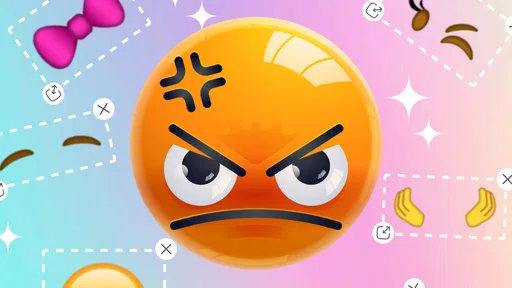
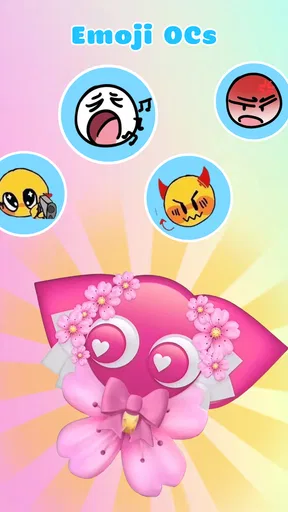
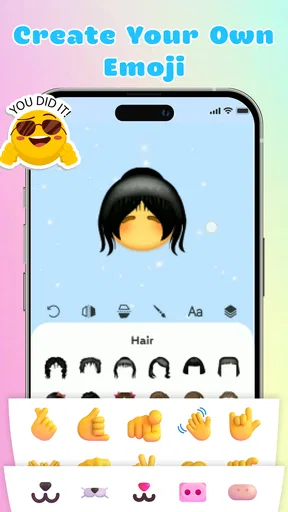
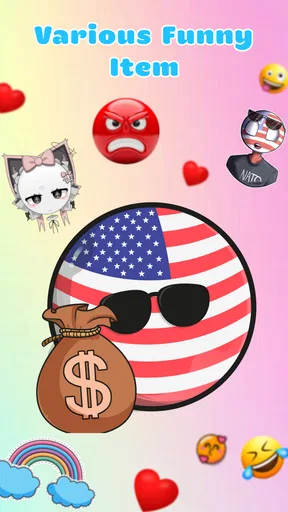
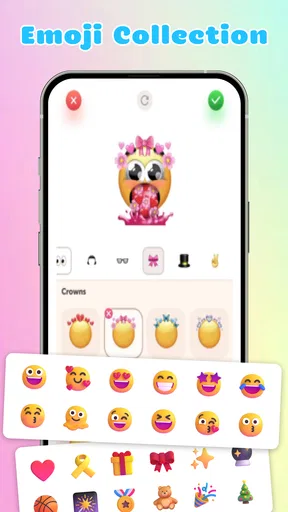
Our Review of Emoji Maker: DIY Emoji Merge
 Analysis by Appyee
I spent time with Emoji Maker: DIY Emoji Merge to see whether its main idea—creating a new emoji by blending familiar ones—is genuinely useful or simply a quick novelty. My impression is that the app is at its best when you want a small, visual way to express a very specific mood. It is not trying to replace a full illustration tool, and that is actually part of its appeal: the process is lighter, faster, and easier to understand than building an image from scratch.
Developed by MayZing Tech, this free personalization app is aimed at anyone who enjoys customizing messages, social posts, profile images, or casual digital content. It is available for users aged Everyone, works on Android devices running version 7.0 or later, and the current release is version 1.5.4. The app has attracted more than ten million installs and holds a 3.9 average from roughly thirteen thousand ratings, which suggests broad interest but also a fairly mixed experience among users.
Why the emoji-merging idea matters
The central capability is simple: choose emoji elements, combine them with the mixer, and create a result that feels more personal than selecting one standard symbol. That sounds modest, but it changes the way I think about emoji customization. Instead of searching through a long keyboard for the closest match, I can start with two ideas and see what happens when they are joined.
That is especially helpful when a normal emoji is almost right but not quite. A laughing face may not capture the slightly embarrassed mood of a conversation. A heart may feel too plain when I want to show affection with a playful twist. Combining visual cues gives me a way to make a message feel more specific without writing a long explanation.
The important distinction is that this is not the same as sending a standard emoji from a keyboard. The result is treated more like a custom visual creation, so the app is better suited to people who want something expressive to share rather than a symbol they can insert instantly into every text field. The mixer is most valuable as a mood-building tool, not as a replacement for ordinary emoji input.
I also found that the creative value comes from experimenting with combinations that are not immediately obvious. Pairing an emotion with an object, expression, or gesture can produce something that communicates an inside joke or a very particular reaction. The process feels closer to playful remixing than formal design, which keeps the learning curve low.
Starting a creation without overthinking it
My preferred approach was to begin with the feeling I wanted to communicate, rather than choosing random symbols first. If I wanted a cheerful reaction, I started with a face or expression and then looked for a second element that changed its tone. This made the results more intentional and reduced the time spent tapping through combinations that did not make sense together.
For a quick message, I would choose a recognizable base and add one contrasting idea. The contrast is often what makes the result interesting. A happy expression combined with something associated with tiredness can say “I am enjoying this, but I am exhausted” more clearly than a single familiar emoji.
Another useful habit is to make a few variations before deciding which one to keep or share. The first blend is not always the clearest. Sometimes a small change in the starting emoji produces a result that looks more balanced or communicates the intended emotion better. This is where the app feels more rewarding than a fixed collection of ready-made stickers.
Users who are concerned about complexity should find the basic concept approachable. The app is designed around choosing and mixing rather than learning drawing tools, layers, brushes, or detailed editing controls. That makes it suitable for casual creators, younger users, and anyone who wants a quick result without studying a design interface.
What the workflow feels like in everyday use
In practice, I would describe the workflow as a short creative loop: pick an emoji, combine it with another, inspect the result, and decide whether it fits the situation. The strongest part is the immediate visual feedback. I do not need to imagine the final result in advance, because the whole point is to see how the blend turns out.
This makes the app easy to use in small spare moments. I could open it while preparing a message, try a few ideas, and return to the conversation with something more personal. It does not demand the commitment of making a full sticker pack or editing a detailed image.
A realistic example is a group chat where friends are discussing a last-minute plan. A standard smiling face might look too ordinary, while a custom combination can convey excitement, uncertainty, and humor at the same time. I would make the emoji, save or share the result through the available device workflow, and use it as a reaction that feels connected to that particular conversation.
There is also a useful distinction between making something for a single moment and making something with repeat value. A one-off joke may be fun for a few minutes, while a carefully chosen blend can become a recurring reaction for a friend group. The app works for both, but the second use rewards more patience because clarity matters more than surprise.
One practical tip is to avoid judging a creation only by whether it looks unusual. A strange result can be entertaining, but it may not communicate anything when sent to another person. I found it better to ask whether the combined visual has an obvious emotional direction. If the answer is no, the novelty may not be worth the confusion.
A strong fit for personal messages and social expression
The best scenario for this app is informal communication with people who already understand your sense of humor. Friends, family members, and active group chats are more forgiving of unusual visuals than professional conversations. A custom emoji can become a shorthand for a shared joke, a recurring reaction, or a personal way of saying hello.
It can also help users who feel that standard emoji choices have become repetitive. If you send the same few faces every day, a merged creation adds variety without requiring you to write a new caption each time. This is particularly useful for people who communicate heavily through visual reactions but still want those reactions to feel individual.
Another good use is lightweight content creation. Someone preparing a casual post, a private story, or a themed message may want a small decorative element that is not identical to what everyone else is using. The app can provide that personal touch without asking the user to create artwork manually.
I would be more cautious about using the results for formal branding or polished promotional material. A playful emoji blend can add personality, but it is not a substitute for a consistent visual identity. If you need exact colors, repeatable dimensions, typography, or detailed control over every part of an image, a dedicated graphics editor is the better choice.
The tradeoff between speed and control
The same simplicity that makes the mixer approachable also limits how much control I have over the final result. The app is built around combining existing emoji ideas, so the creative range depends on the elements available inside its design system. That is different from drawing a completely original character or editing individual shapes.
This tradeoff is easy to accept when the goal is a funny reaction or a quick personalized image. It becomes more noticeable when I have a precise concept in mind. If I want a very specific facial expression, exact placement, or carefully adjusted visual detail, the blend may not deliver the result I imagined.
There is also a quality-versus-speed decision. Fast experimentation is the reason to use the app, but fast results can look less refined than work created in a more advanced tool. I would not treat every generated combination as automatically share-worthy. Taking a moment to compare alternatives makes a noticeable difference, especially when the result is intended for a public post rather than a private joke.
The rating of 3.9 from around thirteen thousand ratings reflects that middle ground. The concept is appealing and accessible, but an app based on playful combinations will not satisfy everyone equally. Some people will enjoy the surprise and simplicity; others may quickly want more editing control or a more predictable output.
Another consideration is context. A custom emoji may not display or behave exactly like a native keyboard emoji in every messaging situation, because it is a created visual rather than a standard character. I would therefore decide how I plan to share it before spending time on a detailed creation. For casual chats and social sharing, that distinction is usually manageable. For instant inline replies, a normal emoji keyboard remains faster.
How it compares with familiar alternatives
The usual alternative is simply using the emoji keyboard already built into a phone. That option wins for speed, compatibility, and convenience. If I need to react immediately, I can tap a familiar symbol without opening another app or creating anything. Emoji Maker earns its place when the standard choices feel too generic.
Sticker apps are another comparison. Ready-made sticker collections usually offer more polished scenes and characters, while this app gives me a more direct role in forming the visual idea. A sticker library is better when I want a finished reaction with no experimentation. The mixer is better when I want to make something that reflects my own combination of moods or symbols.
Full image editors provide much deeper control, but they also introduce more steps. They are the right choice for users who care about composition, retouching, text placement, or export preparation. For a quick emoji-style creation, that extra power can feel unnecessary. I would choose this app when the desired result is playful and compact, not when I need professional editing.
Keyboard-based custom emoji tools may be more convenient for people who want to insert creations directly while typing. This app is more focused on the act of making and blending. That difference matters: it feels like a small creative workspace, whereas a keyboard extension is primarily a communication shortcut.
Small techniques that improve the results
My first useful technique is to choose one dominant idea and one supporting idea. When both elements compete for attention, the result can become difficult to read. A clear emotional base with a secondary visual twist usually works better than two equally strong concepts.
My second technique is to create for the recipient, not just for myself. A blend that seems obvious to me may be unclear to someone else. Before sharing, I would imagine seeing it without the surrounding conversation. If the meaning disappears, adding a short caption or selecting a simpler combination may be wiser.
My third technique is to keep a small personal theme in mind. For example, I might use similar emotional bases when creating reactions for one group of friends and more exaggerated combinations for another. This creates a recognizable style without needing a formal collection or complicated organization system.
A fourth insight is that the mixer works well as a brainstorming prompt. Even when I do not use the first result, it can suggest a different way to express an idea. That makes the app useful not only for final sharing but also for overcoming the blank-page feeling that can happen when I want to make a message more playful.
Finally, I would avoid opening the app with an expectation of perfect output every time. The best results come from treating the process as trial and selection. If I only want a guaranteed polished sticker, browsing a curated sticker collection will probably be less frustrating.
Who should try it, and who should skip it
I think this app is a good match for casual creators, emoji fans, younger users, and people who spend a lot of time in informal chats. It is especially appealing if you enjoy testing combinations and sharing visual jokes. The free price also makes it easy to try without turning the decision into a major purchase.
It may be particularly useful for someone who wants to personalize messages but does not want to learn a complicated design program. The app lowers the barrier between “I want a custom reaction” and “I have something I can share.” That is its clearest practical strength.
I would skip it if my priority is instant typing, exact design control, or professional-quality graphics. A standard keyboard is better for speed, a sticker library is better for ready-made polish, and a full editor is better for precision. The app sits between those options: more personal than a normal emoji, quicker than serious design software, and less finished than a curated sticker pack.
It is also not the best choice for someone who dislikes experimentation. The value is not simply in opening the app and receiving a perfect result; it comes from trying combinations and deciding what communicates well. Users who want predictable, one-tap outcomes may find the process unnecessary.
My final take on the mixer
After using it, I see Emoji Maker: DIY Emoji Merge as a focused personalization tool with one genuinely enjoyable strength: it turns familiar emoji ideas into something that feels more connected to the person sending it. The experience is quick to understand, easy to revisit, and flexible enough for jokes, reactions, and casual creative posts.
Its limitations are equally clear. The app cannot offer the precision of a serious editor, and a custom creation will not always be as convenient as a native emoji or as polished as a finished sticker. Those are not minor details, but they are acceptable tradeoffs when the goal is playful expression rather than professional output.
MayZing Tech has made an app that is easiest to recommend to people who enjoy the process as much as the result. I would suggest trying it when your usual emoji choices feel too predictable and you want a visual reaction with a personal twist. If you treat the mixer as a fast creative sandbox instead of a complete design studio, it makes much more sense.
For me, the deciding question is simple: do you want to send an emoji immediately, or do you want to make a small expression that belongs to this particular conversation? If it is the second option, this free app is worth exploring. Its 3.9 average shows it is not universally perfect, but its large audience—more than ten million installs—also shows that the basic idea has lasting appeal for many people.
Privacy and Permissions
See what permissions an app requests and how it handles your data.
- Photos/Media/Files
- read the contents of your USB storage, modify or delete the contents of your USB storage
- Storage
- read the contents of your USB storage, modify or delete the contents of your USB storage
- Wi-Fi connection information
- view Wi-Fi connections
- Other
- view network connections, full network access, control vibration, prevent device from sleeping, Google Play license check
Verdict
Strengths of Emoji Maker: DIY Emoji Merge
- Easy drag-and-drop controls make emoji creation accessible to beginners.
- Large mix-and-match selection supports many unique character combinations.
- Quick previews let you compare designs before saving or sharing.
- Fun creative activity for children, teens, and casual users.
- Works well for making personalized stickers and reaction images.
Limitations of Emoji Maker: DIY Emoji Merge
- Some designs and customization options may require in-app purchases.
- The app can become repetitive once the available combinations are explored.
- Ads may interrupt the creation process, especially in the free version.
- Export or sharing options may be limited compared with dedicated design apps.
- Older devices may experience slower loading with larger emoji collections.
Similar Picks in This Category
View All
Microsoft SwiftKey AI Keyboard
SwiftKey4.3

Wallpapers
Google LLC4.1

Zedge™ Wallpapers & Ringtones
Zedge4.7

Yandex Browser with Alice AI
Direct Cursus Computer Systems Trading LLC4.3

Ringtone Maker:create ringtone
Big Bang Inc.4.7

Fonts Keyboard
Fonts Keyboard3.9
Frequently Asked Questions
What is Emoji Maker: DIY Emoji Merge?
Emoji Maker: DIY Emoji Merge is a creative customization app that lets you combine different facial features, expressions, accessories, colors, and decorative elements to design personalized emoji-style characters. After creating a design, you can generally save it as an image and use it in chats, social media posts, profile pictures, or other creative projects, depending on the sharing options available on your device.
Is Emoji Maker: DIY Emoji Merge free to download and use?
The app can usually be downloaded without an upfront payment, but availability of features may depend on the version installed. Some design elements, tools, or advanced options could be offered through advertisements, in-app purchases, or premium access. Before confirming a purchase, check the store listing and in-app pricing carefully, especially if children may use the application on a shared device.
How does the emoji merging and customization process work?
After opening the app, you typically begin with a base emoji or character and then select individual components such as eyes, mouths, hairstyles, hats, clothing, colors, and accessories. The merge-style system allows you to experiment with different combinations until the result matches your preferences. The exact number of available items and editing controls may vary by app version.
Can I save or share the emojis I create?
Created emojis are generally intended to be saved to your device or shared through compatible applications. Depending on the available tools, you may be able to export a design as an image and send it through messaging apps or publish it on social networks. Review the app’s storage and photo permissions, and remember that exported designs may not function as native keyboard emojis.
Does Emoji Maker: DIY Emoji Merge require internet access?
Basic creation tools may work without a constant connection once the necessary content has loaded, but internet access can still be required for advertisements, downloading additional assets, syncing content, or using certain sharing features. Offline behavior may differ between Android and iOS versions. If you want to limit mobile data usage, test the app on Wi-Fi and review its permissions first.
